

Key Takeaways
Why Automation Outperforms Willpower for Families
Most families don't fail to save because they lack discipline - they fail because saving requires a daily decision, and daily decisions are exhausting when you're managing work, school schedules, grocery runs, and everything else. Behavioral research consistently shows that when a desirable action is made automatic, follow-through rates increase dramatically compared to relying on intention alone.
Automation sidesteps this problem entirely. Once your transfers are scheduled, savings happen whether or not you remember, whether or not the week was stressful, and whether or not something more tempting came up. The savings myths that delay progress - like 'I'll start saving when I earn more' - lose their grip once a system is already running.
For families juggling competing priorities, this matters even more. There's always a competing claim on money: a school field trip, a car repair, a medical copay. An automated system treats savings like a fixed obligation rather than a discretionary choice, which is exactly how consistent savers think about it.
What you will need
What You'll Need Before You Start
Setting up savings automation takes less than an hour for most families, but a small amount of preparation makes the process smoother and reduces the chance of overdraft surprises. Review the tools and prerequisites listed here before logging into your bank.
Online banking portal or mobile app
Used to create sub-accounts, schedule recurring transfers, and monitor balances.
Employer payroll portal
Allows you to split your direct deposit across multiple accounts before the money reaches checking.
Budgeting spreadsheet or app
Helps you calculate how much to automate toward each goal without overdrawing your account.
Build a Buffer Before Automating
Triggering automatic transfers without a small cash buffer in your checking account can lead to overdraft fees that wipe out any savings benefit. Before launching any automation, ensure you have at least two to four weeks of typical expenses sitting in your checking account as a safety cushion. Check your bank's overdraft policies so there are no surprises.
If you haven't yet defined what you're saving for, consider pairing this guide with a goal-based savings framework - it will help you decide how to allocate amounts across sub-accounts in Step 2.
Step-by-Step: Building Your Automated Savings System
Follow these steps in order. Each one builds on the last, and skipping the early steps - particularly calculating your baseline and building a buffer - increases the risk that automation creates more problems than it solves.
Calculate your baseline savings number
Before setting up any automation, you need a realistic figure to work with. Subtract your fixed monthly obligations - rent or mortgage, utilities, loan payments, insurance - from your monthly take-home income. From what remains, identify a conservative amount you could move to savings without disrupting normal spending. Even 3-5% of take-home pay is a meaningful starting point. The goal is a number small enough that it won't cause checking account stress, but consistent enough to accumulate over time.
Open dedicated sub-accounts for each goal
Rather than funneling everything into one savings account, open separate sub-accounts tied to specific goals - an emergency fund, a family vacation, a home repair reserve, or upcoming school costs. Many banks and credit unions allow multiple savings accounts at no extra cost. Having distinct accounts prevents 'savings bleed,' where money earmarked for one purpose quietly covers another. Once accounts are open, label each one clearly with its purpose.
Schedule recurring automatic transfers
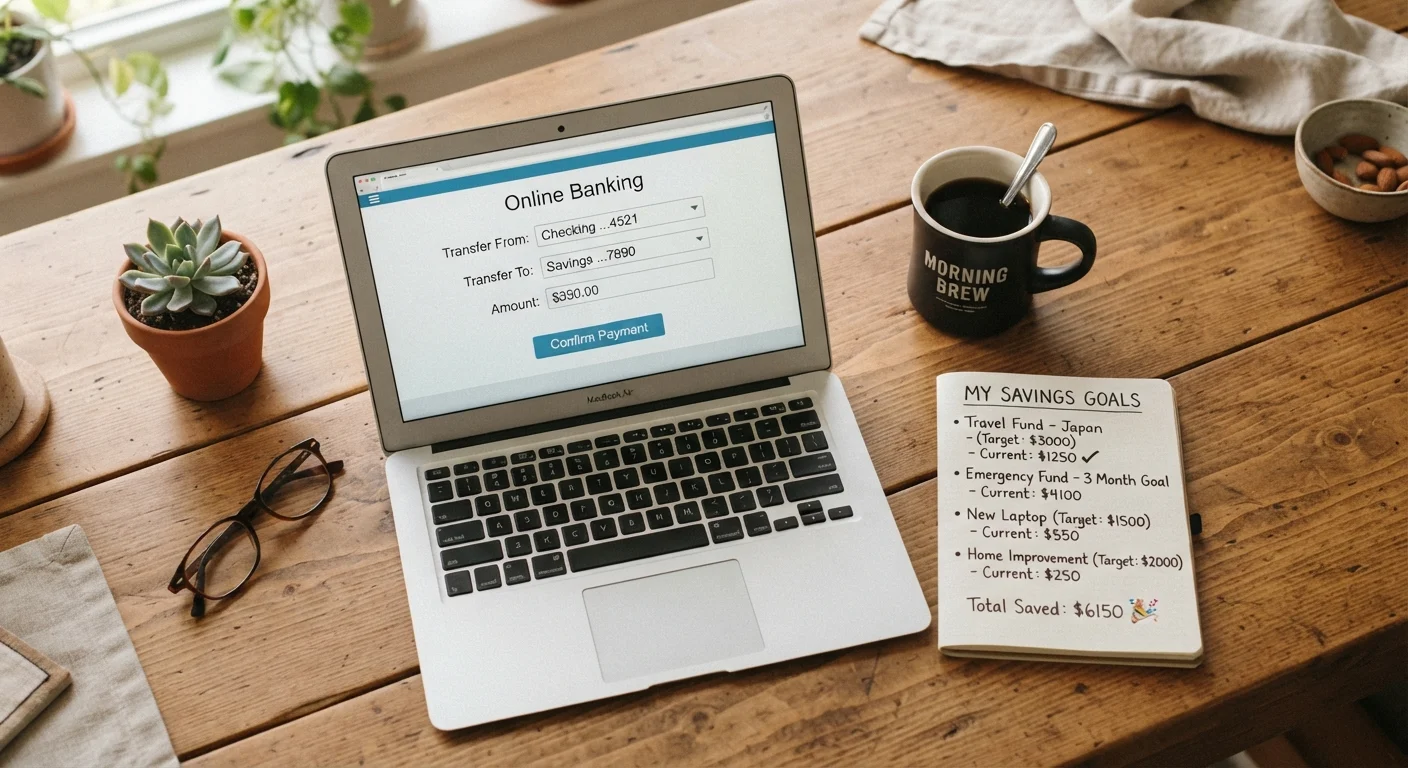
Log into your online banking portal and set up automatic transfers from checking to each sub-account. Schedule transfers to occur one to two business days after your regular payday - this ensures the deposit has cleared before the transfer fires. Set the frequency to match your pay schedule (weekly, biweekly, or monthly). Start with the conservative figure you calculated in Step 1, divided proportionally across your goals. You can always increase amounts later.
Set up payroll direct deposit splitting (if available)
Contact your HR or payroll department - or log into your employer's payroll portal - and ask whether direct deposit splitting is supported. Many employers allow you to designate a flat dollar amount or percentage of each paycheck to go directly to a second account. If your employer offers this, route a fixed amount straight to your emergency fund or highest-priority savings account before it ever touches checking. This is the most friction-free form of automation because the money is never in your spending account to begin with.
Verify the first transfer and monitor for one month
After setting everything up, confirm the first automated transfer actually executes as scheduled. Log in on the expected date to verify the correct amounts moved to the correct accounts. For the first full month, keep a light eye on your checking balance around transfer dates to catch any timing mismatches or insufficient-funds situations early. Adjust transfer dates or amounts if needed before treating the system as stable.
Schedule a recurring savings review every six months
Set a calendar reminder - January and July work well for most families - to review your automation setup. At each review, ask: Has income changed? Are current goal allocations still accurate? Have any goals been funded and completed? Adjust transfer amounts and sub-account labels accordingly. This semi-annual check-in keeps your system aligned with where your family actually is, rather than where it was when you first set everything up.
Name Your Accounts After Your Goals
Most banks and credit unions allow you to label savings accounts with custom names - 'Summer Camp 2026,' 'Car Repair Fund,' 'Holiday Gifts.' Research on savings behavior consistently suggests that labeled accounts reduce the likelihood of withdrawing money for unrelated expenses. It takes two minutes to rename an account and meaningfully raises the psychological cost of raiding it.
Involving your children in the goal-naming process - even briefly - can reinforce the habit at a family level. Our guide on teaching kids about savings goals has practical approaches for doing this without adding financial pressure.
Keeping Your System Honest Over Time
An automated savings system is most powerful when it's treated as a living structure rather than a one-time setup. Families that review and adjust their automation regularly accumulate savings more reliably than those who set it and forget it for years.
Automation Is Not Set-and-Forget Forever
Automated savings systems still require periodic review. Life changes - income shifts, new expenses, family size - can make your original setup misaligned with current needs. Plan to revisit your automation settings at least twice a year. Left unchecked, an outdated setup can overdraw accounts or underfund goals.
The broader principles behind consistent saving - regardless of the specific method you use - are worth understanding as a foundation. See the principles that hold up across every savings approach for a durable framework that complements any automation system. And for a deeper look at why savings habits form the way they do, the guide on how household savings habits form is a useful read alongside this one.
This article provides general financial education and is not personalized financial advice. Consult a qualified financial professional for guidance specific to your household situation.