

Key Takeaways
Why a Maintenance Log Is Worth the Effort
Most drivers know their car needs regular service, but far fewer keep a systematic record of what's been done, when, and at what cost. That gap has real consequences. Without a log, it's easy to duplicate services you've already paid for, miss intervals that protect expensive components, or lose proof of maintenance when a warranty claim or resale negotiation depends on it.
A maintenance log closes that gap. It gives you a verifiable paper trail that works in your favor in three distinct ways: it helps you stay ahead of the manufacturer's service schedule, it provides mechanics with accurate history so they can diagnose problems faster, and it documents the vehicle's care for any future owner. For families managing household budgets, it also makes automotive costs visible and plannable rather than unpredictable. You can read more about connecting vehicle costs to broader household planning on the family budgeting hub.
If you're newer to vehicle ownership, our guide for new drivers and first-time owners covers the service intervals and fluid checks that should anchor your first log entries. This article focuses on the record-keeping system itself - how to build it, maintain it, and make it work for you over the long term.
Don't Rely on Memory or Stickers Alone
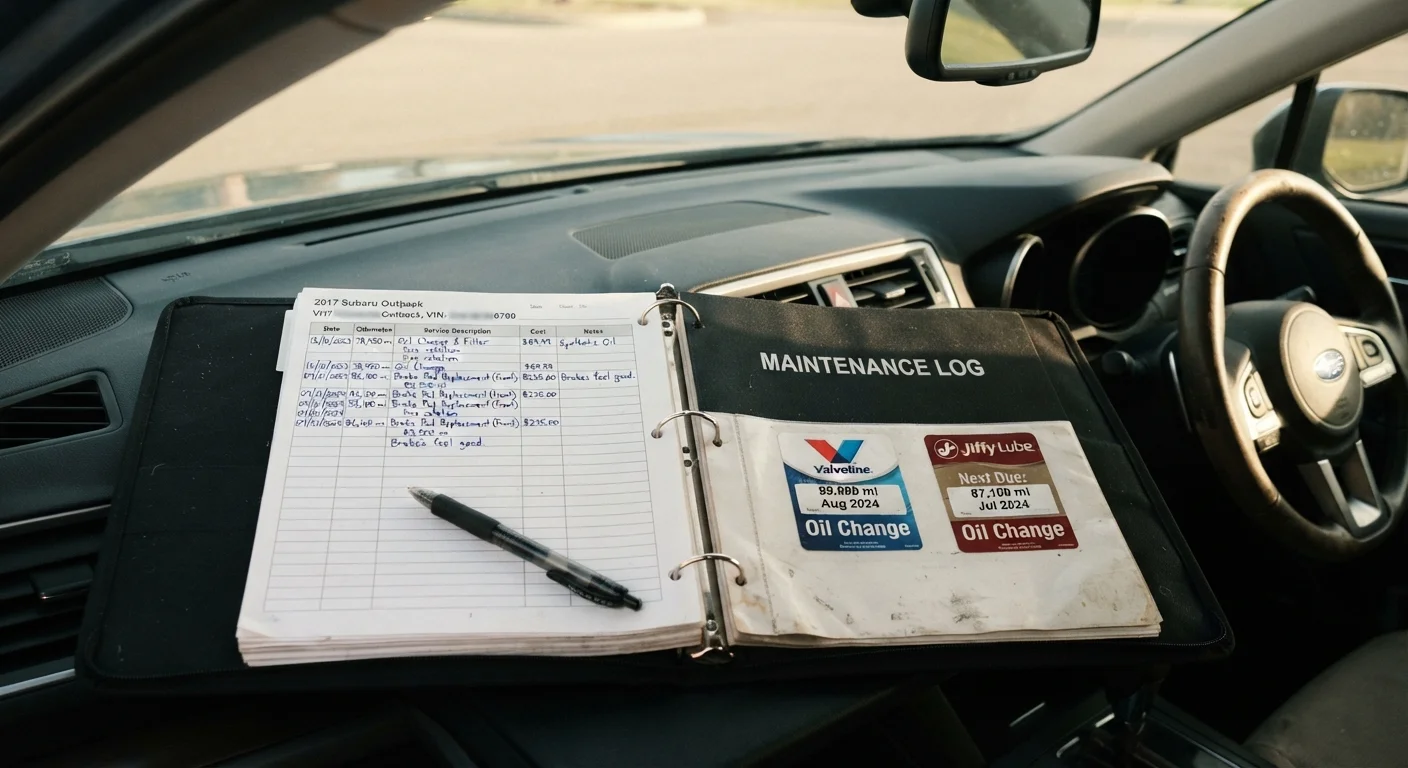
Oil-change reminder stickers and dashboard warning lights are useful prompts, but they are not a service history. Stickers can fall off, lights can malfunction, and memory fades. Only a written or digital log provides the documentation trail that protects you financially and mechanically over the life of the vehicle.
What to Record and How to Organize It
An effective log entry doesn't need to be long - it needs to be complete. Every entry should capture seven pieces of information: the date of service, the odometer reading at the time, the specific work performed, any parts or fluids used along with their specifications, who performed the work, the total cost, and the next recommended service interval. Skipping any of these fields creates gaps that reduce the log's usefulness later.
Three-ring binder or accordion folder
Stores physical service receipts, invoices, and handwritten log pages in one portable location.
Dedicated notebook or log pad
Provides a consistent format for recording each service event by hand.
Spreadsheet software (e.g., a general-purpose app on your computer or phone)
Creates a searchable, sortable digital record of all service events and costs.
Vehicle maintenance tracking app
Sends service reminders and stores records in the cloud so they're accessible from any device.
Owner's manual
Provides the manufacturer's recommended service schedule and fluid specifications for your specific vehicle.
Beyond individual entries, organize your log so it's easy to scan. Group records chronologically, and consider adding a summary page at the front listing major services and their mileage milestones - transmission fluid changes, timing belt or chain replacements, spark plugs, and brake component work. This summary becomes a quick reference for mechanics and buyers alike.
Start Simple, Stay Consistent
The most effective maintenance log is the one you actually update. A basic notebook updated faithfully outperforms a sophisticated app that goes unused after the first month. Commit to a simple format first, then refine the system once the habit is established.
This system also integrates naturally with the broader framework described in The Complete Family Car Maintenance Playbook, which covers the full scope of keeping a family vehicle reliable over its lifetime.
Your Log Is a Financial Document
A thorough maintenance log can meaningfully influence a vehicle's resale or trade-in value by demonstrating responsible ownership. Conversely, a missing or incomplete service history raises red flags for buyers and can reduce what you're offered. Treat every entry with the same care you'd give a financial record.
Step-by-Step: Setting Up Your Log
What you will need
Gather your vehicle's baseline information
Before you record a single service event, create a permanent header section in your log with your vehicle's core details: year, make, model, trim level, engine size, transmission type, and VIN. Add your current odometer reading and the date you're starting the log. This baseline anchors every future entry and proves essential if a mechanic, insurer, or future buyer needs to verify the vehicle's history.
Reconstruct past service history as completely as possible
Search for existing receipts, dealer printouts, credit card statements, and any stickers inside the door jamb or under the hood. Log what you can find, noting the source if the record is incomplete (e.g., "estimated per oil-change sticker"). Even a partial history is useful. If you purchased a used vehicle, a vehicle history report may fill in gaps - see how to read a vehicle history report for guidance on interpreting that data.
Choose and set up your recording system
Pick a format you will realistically maintain: a physical binder with pre-printed log sheets, a notebook, a spreadsheet, or a dedicated app. Whichever you choose, structure each entry with the same fields: date, odometer reading at service, service or repair performed, parts or fluids used (include specifications such as oil viscosity), labor source (DIY or shop name), total cost, and next-service due date or mileage. Consistency in format makes the log far more useful over time.
Record every service event promptly
Log each oil change, tire rotation, brake inspection, fluid top-off, filter replacement, and unscheduled repair as soon as it happens - ideally the same day. Attach or scan the receipt and note who performed the work. For dealer or shop visits, ask for an itemized invoice every time, even for routine work. This habit is especially important for high-mileage vehicles, where tracking cumulative wear items becomes critical.
Set forward-looking service reminders
At the end of each log entry, note when the next service is due - expressed both as a calendar date and an odometer mileage, whichever comes first. Cross-reference these intervals against your owner's manual's maintenance schedule. Add reminders to your phone calendar or use an app's alert feature so you're never caught off guard. This proactive step is what converts a passive record into an active maintenance management tool.
Store and protect your log securely
Physical logs should be kept in a weatherproof sleeve or binder stored in the glove box or a home filing cabinet - not loose in the trunk where they can be lost or damaged. Digital logs should have at least one backup copy: a cloud folder, an emailed export, or a USB drive kept at home. Treat the log as you would any important financial document, because that's effectively what it is.